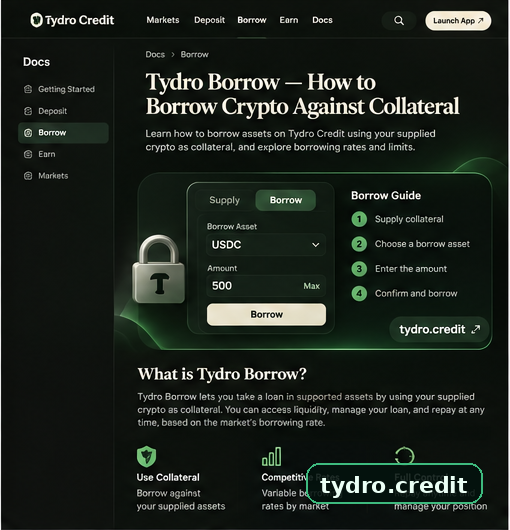
Tydro Credit › Docs › Tydro Borrow – How to Borrow Crypto Against Collateral
Tydro Credit Documentation
Tydro Borrow – How to Borrow Crypto Against Collateral
A practical guide to crypto-backed borrowing on Tydro Credit: understand collateral, choose a market, review borrowing costs and monitor your position.
About this guide
Tydro Borrow allows users to borrow supported crypto assets where the selected lending market permits it. Borrowing in DeFi is generally secured by eligible collateral supplied to the protocol. Your available borrowing amount and ongoing risk depend on market parameters, collateral value and the amount borrowed. Always check the live interface before taking a loan.
How crypto borrowing works
In a collateralized lending market, a user supplies eligible collateral and borrows another supported asset. The loan accrues borrowing costs according to a variable rate or other terms displayed by the market. If collateral value falls or debt increases relative to collateral, the position can become unsafe and may be subject to liquidation under the protocol’s rules.
Understand collateral and risk parameters
Before borrowing, review the collateral assets accepted by the market, loan-to-value limits, liquidation threshold, liquidation penalty and any health or risk indicator shown by the interface. These parameters may differ between assets and can change. Do not assume that one market has the same settings as another.
Step-by-step: borrow on Tydro
Step 1 — Supply eligible collateral
Connect your wallet on Ink and make sure you have supplied an asset that the selected market accepts as collateral. If the interface has a collateral toggle or enable-collateral step, review and confirm it separately.
Step 2 — Choose the asset to borrow
Open Borrow and select an asset currently available for borrowing. Check the market’s available liquidity, displayed borrow rate and any constraints before choosing an amount.
Step 3 — Enter a conservative amount
Enter an amount that leaves a meaningful collateral buffer. Avoid borrowing close to the maximum shown by the interface: collateral prices and borrowing costs can change, and a narrow buffer increases liquidation risk.
Step 4 — Review and confirm
Review the asset, amount, collateral position, estimated rate, fees and risk indicators. Confirm the transaction in your wallet only when the details match your intent.
Monitor and repay your loan
Monitor collateral value, debt, accrued interest and the risk indicator shown in Tydro. Repay using the supported repayment flow. If necessary, consider adding eligible collateral or reducing debt before the position reaches a liquidation threshold.
Frequently Asked Questions
What is Tydro Borrow?
Tydro Borrow is the borrowing flow in Tydro Credit for taking supported crypto assets from lending markets against eligible collateral, subject to each market’s rules.
Do I need collateral to borrow?
Collateral is generally required for overcollateralized DeFi lending. The exact eligible assets and parameters are determined by the live market.
Can I borrow the maximum amount shown?
A maximum borrowing figure is not a recommended amount. Leaving a safety buffer helps reduce exposure to price movements, rate changes and liquidation risk.
What happens if my collateral value falls?
Your collateral position may become less safe. Depending on the market parameters, the protocol may allow liquidation if the position crosses its liquidation threshold.
Are borrowing rates fixed?
Borrow rates may be variable. Check the current rate and market conditions in the Tydro interface before and after borrowing.
Related Tydro guides
Continue with another guide to understand the full lending workflow.
DeFi lending involves risk, including smart-contract, market, liquidity, oracle and network risks. Rates and supported assets may change. No APY, incentive, airdrop or return is guaranteed. This guide is educational and is not financial advice. Always verify transaction details and current protocol terms in the live Tydro interface.