Tydro Credit › Docs › Tydro Deposit – How to Deposit and Supply Crypto
Tydro Credit Documentation
Tydro Deposit – How to Deposit and Supply Crypto
Learn how to supply supported crypto assets through Tydro Credit, understand the transaction flow and monitor your supplied position after confirmation.
About this guide
Tydro Deposit is the entry point for supplying crypto assets to supported lending markets. When you supply an asset, it is made available to the protocol’s lending pool under that market’s rules. In return, the interface may show a supplied position and a variable supply rate. Exact assets, rates and transaction requirements depend on the live market.
What does Deposit or Supply mean?
In DeFi lending, supplying means adding an eligible asset to a lending market. Borrowers may use liquidity from that market under its rules. The rate shown to suppliers is variable and may respond to utilization and other market conditions. Supplying is not the same as placing funds in a fixed-term bank deposit.
Before you deposit
Connect a compatible wallet on Ink, make sure the asset is supported in the current Tydro market, and keep enough gas for network fees. Check the token contract and asset name carefully. Do not send tokens directly to an address unless the official interface explicitly instructs you to do so.
Step-by-step: make a Tydro Deposit
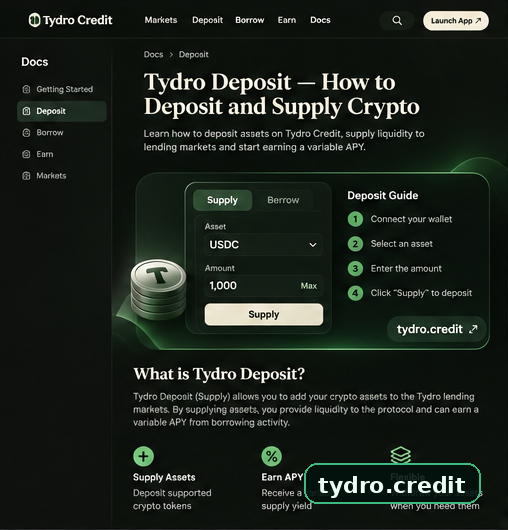
Step 1 — Connect your wallet
Open Tydro Credit and connect your wallet. Verify the wallet address and network shown in the app. A wallet connection alone does not move your funds.
Step 2 — Select a supported asset
Open the Deposit or Supply interface and choose an asset from the list available to your wallet and the current market. Review the asset, decimals and available balance before entering an amount.
Step 3 — Enter the amount and review
Enter the amount you want to supply. Review any displayed supply APY, liquidity information, fees and transaction details. Remember that displayed rates are estimates that can change.
Step 4 — Approve and supply
If required, approve the token allowance in your wallet. Then review and confirm the supply transaction. Wait for the on-chain transaction to be confirmed before assuming the deposit is complete.
After the deposit: monitor your position
Return to the dashboard or market view to check your supplied balance and any accrued yield shown by the app. Review market liquidity and withdrawal conditions before planning to remove funds.
Frequently Asked Questions
How do I deposit crypto on Tydro?
Connect a compatible wallet on Ink, choose an asset supported by the live market, enter an amount, review the transaction and confirm the required wallet prompts.
Is Tydro Deposit the same as Supply?
The terms are often used for the same action in lending interfaces: adding an eligible asset to a lending market. Follow the labels and transaction details in the live Tydro interface.
Does a deposit earn a fixed APY?
No. Supply APY is variable and can change with market utilization and protocol conditions. It should not be treated as a guaranteed return.
Can I withdraw my supplied assets at any time?
Withdrawals depend on the market’s available liquidity, protocol rules and any restrictions shown in the live interface. Check those conditions before supplying.
Is depositing risk-free?
No. DeFi lending involves smart-contract, market, liquidity, oracle and network risks. Only interact with assets and amounts you understand.
Related Tydro guides
Continue with another guide to understand the full lending workflow.
DeFi lending involves risk, including smart-contract, market, liquidity, oracle and network risks. Rates and supported assets may change. No APY, incentive, airdrop or return is guaranteed. This guide is educational and is not financial advice. Always verify transaction details and current protocol terms in the live Tydro interface.